
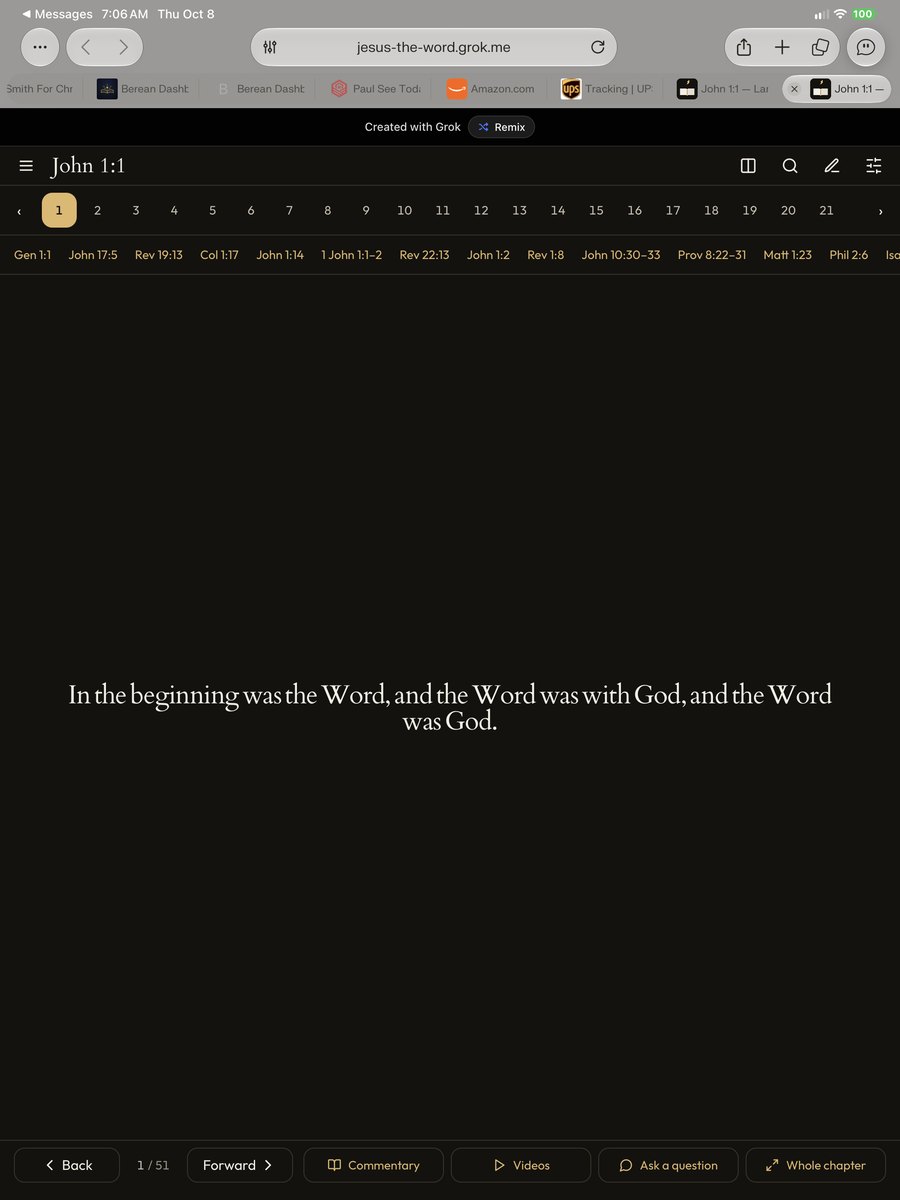
Lampstand, as Gabe built it
What Lampstand gets right is restraint. The verse stands alone in beautiful type, and every action under it is named in a word, not only an icon: Commentary, Videos, Ask a question, Whole chapter.
Those four ideas, plus Gabe's later wish to link out to sites like Bible Hub the way Berean links to David Guzik, are what this plan carries into Examine.
Where each idea lands
| Lampstand's idea | Where it lives in Examine | Built from |
|---|---|---|
| One verse, large and quiet | The centre of Examine, as today, with the Greek beneath it word by word | The existing ring REUSE |
| Cross references as a row | A row of chips under the verse; the full list stays in the right panel | Today's cross-reference data REUSE NEW ROW |
| Look before you're taught | The left panel opens on four questions and a place to write what you see | Examine's "This verse" panel REUSE |
| Videos | A Teachers tab on the right: a list of approved teachers for the passage, kept by Ed, with Gabe's suggestions; a privacy-enhanced player on a tap; open search as a plain link out | New NEW TAB |
| Links to Bible Hub and others | An Elsewhere tab with the sites Gabe chose, grouped by what you came for: Commentary (Enduring Word, Bible Hub Commentaries, StudyLight), Original language (Blue Letter Bible, Bible Hub), Translations (Bible Hub Parallel, Bible Gateway) | Today's Guzik and Blue Letter Bible links REUSE, four more sites NEW TAB |
| Commentary | The right panel's Commentary tab | Other voices and the commentators REUSE |
| Ask a question | "Ask the Partner" is a button in the new bottom bar; the old AI bar along the bottom goes | The AI layer REUSE |
| Back, Forward, Whole chapter | A dock along the bottom with every action named: Previous verse, Commentary, Teachers, Elsewhere, Ask the Partner, Whole chapter, Next verse | Today's ‹ › buttons and Read view REUSE NEW DOCK |
A fourth source joins the provenance legend: violet for Elsewhere, anything that opens or plays from another site.
Tablet and laptop first, then the phone
Tap a screen to open it full size. John 1:1, King James, the Greek from the Textus Receptus. Lesson titles are placeholders in brackets until Ed chooses the first teachers.
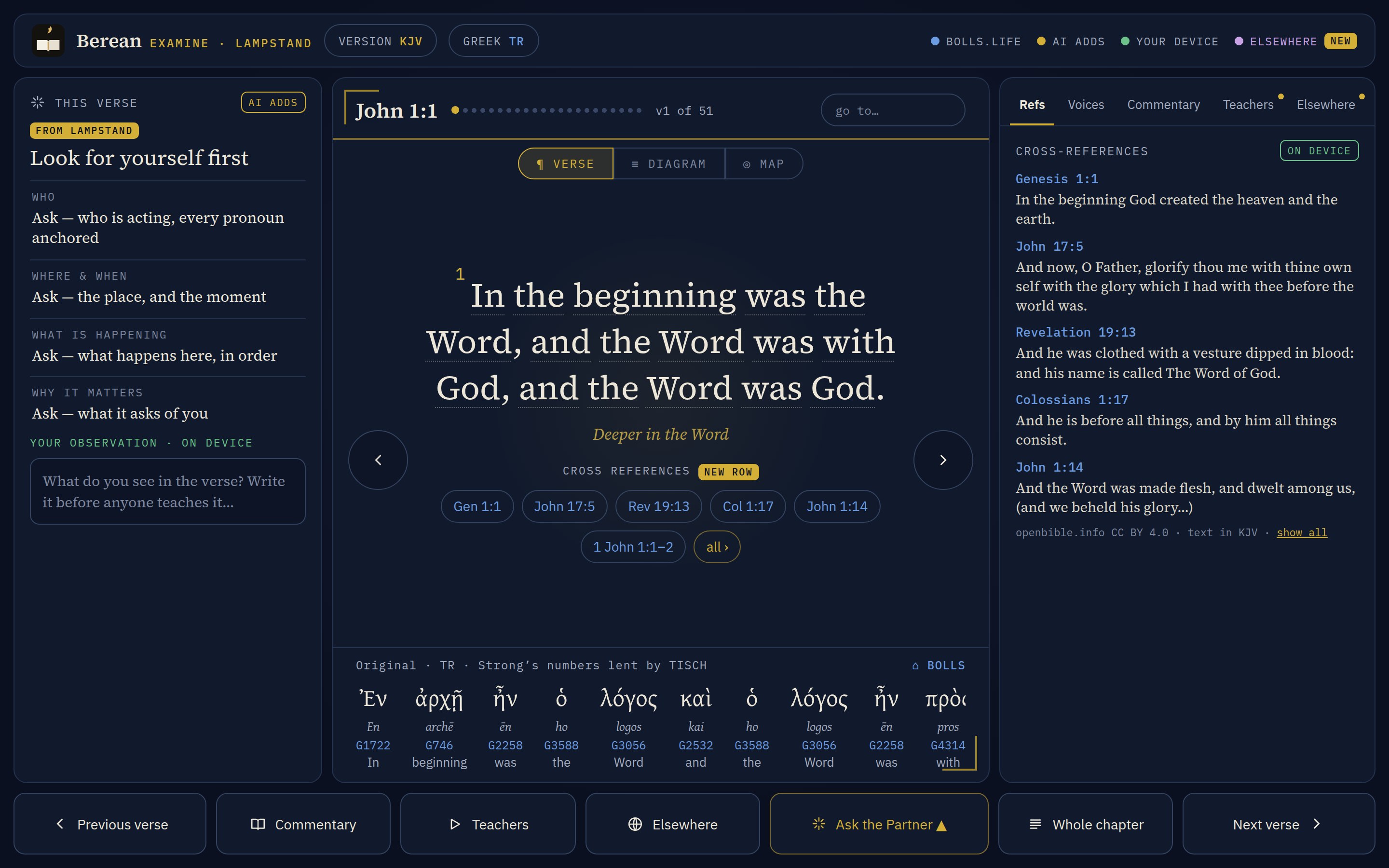 Laptop · The verse firstLook for yourself on the left, the cross-reference row under the verse, the new bottom bar with every action named. No AI bar.
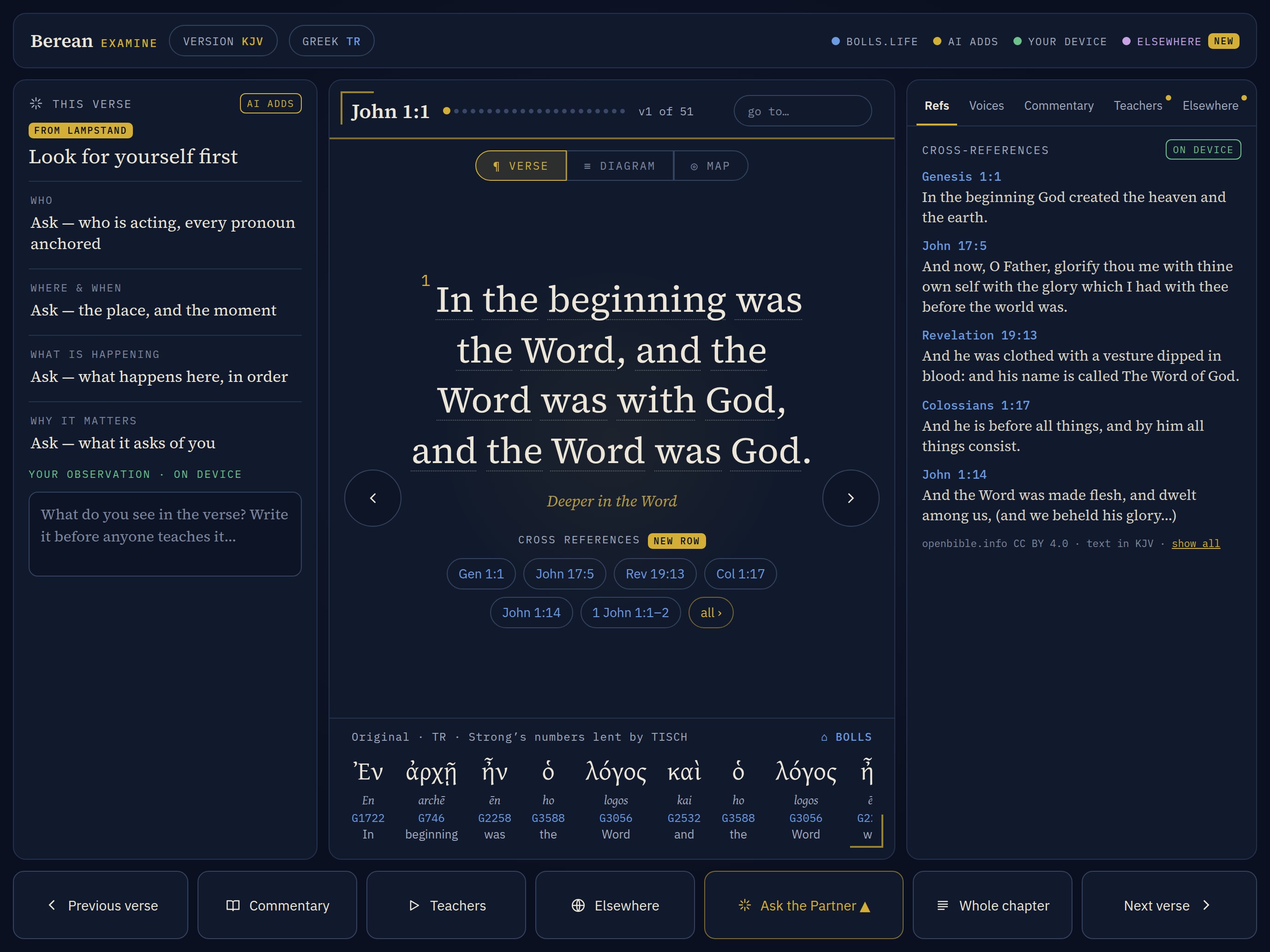 Tablet · The verse firstThe same screen at a tablet's shape.
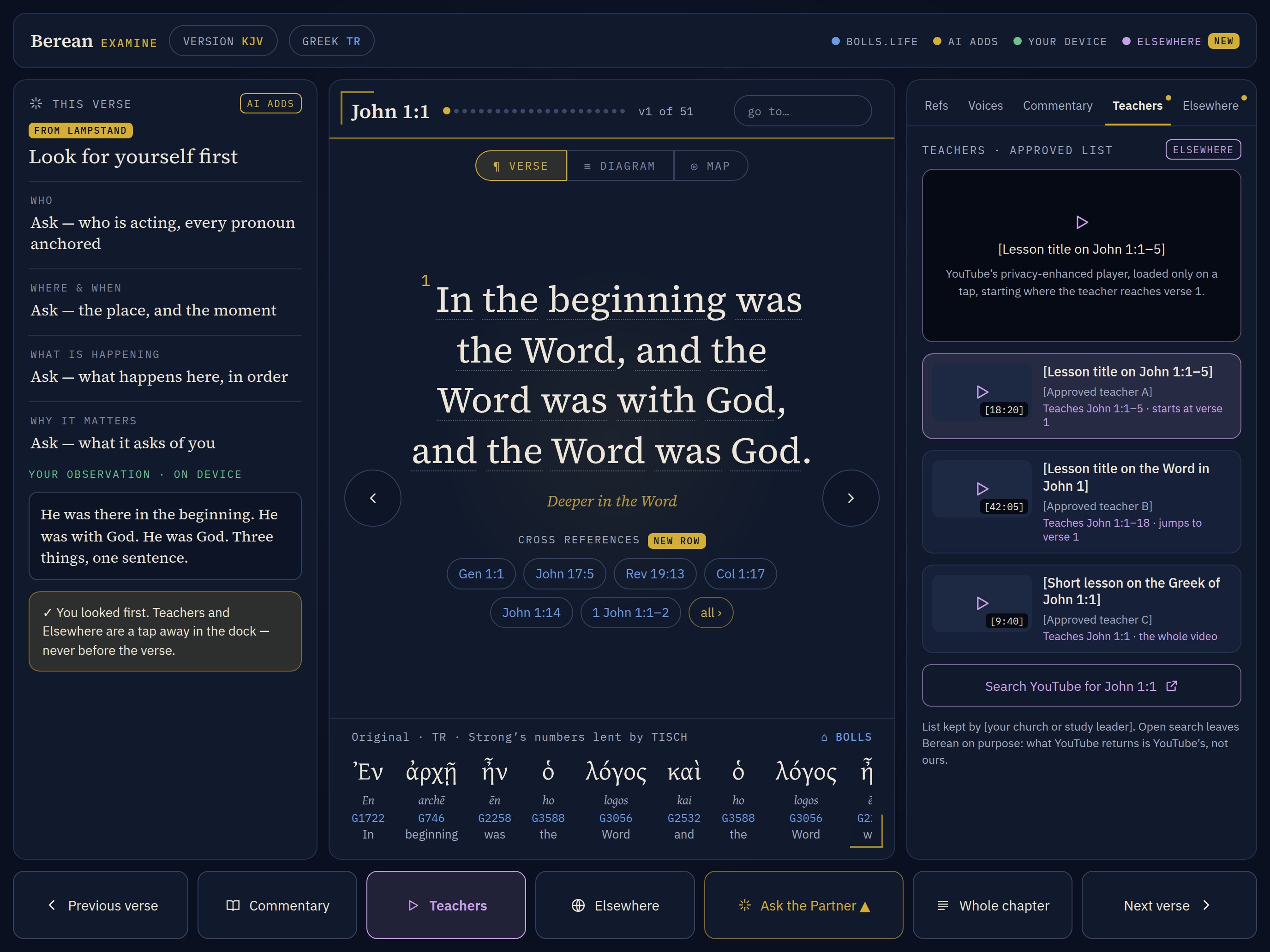 Tablet · TeachersThe approved list, the player on a tap, open search as a link out.
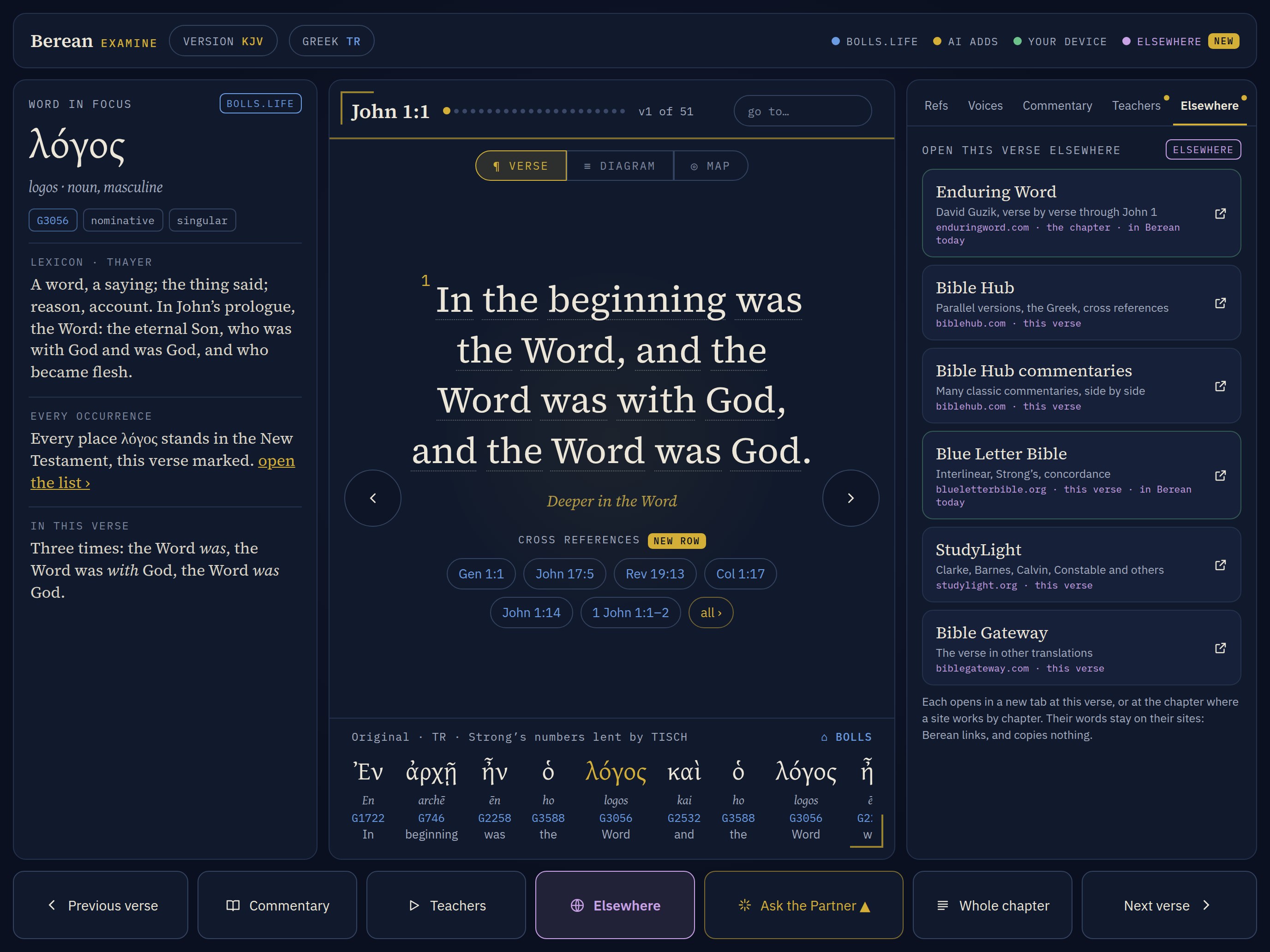 Tablet · ElsewhereGabe's sites, grouped: commentary, original language, translations. The word in focus on the left, as today.
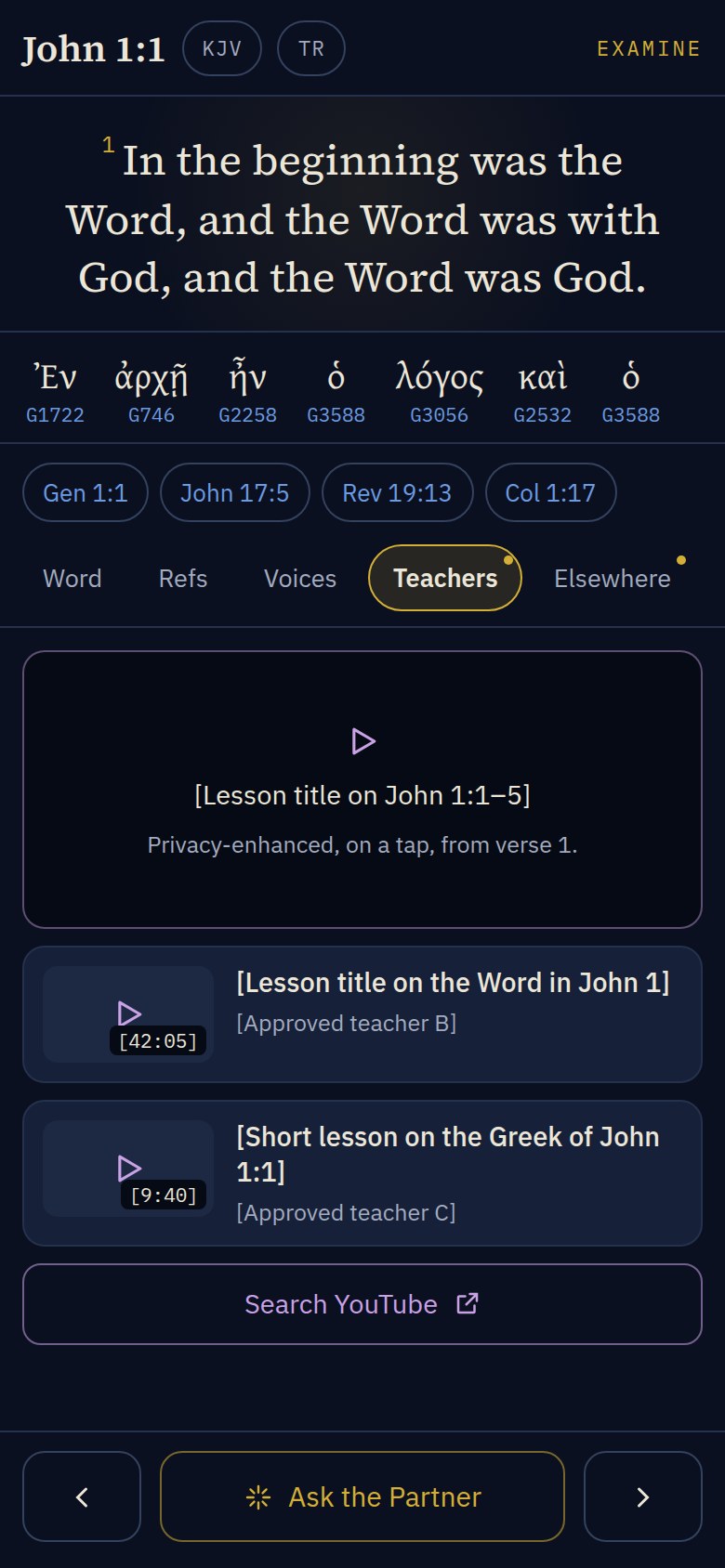 Phone · TeachersThe verse pinned, the helps taking turns below it.
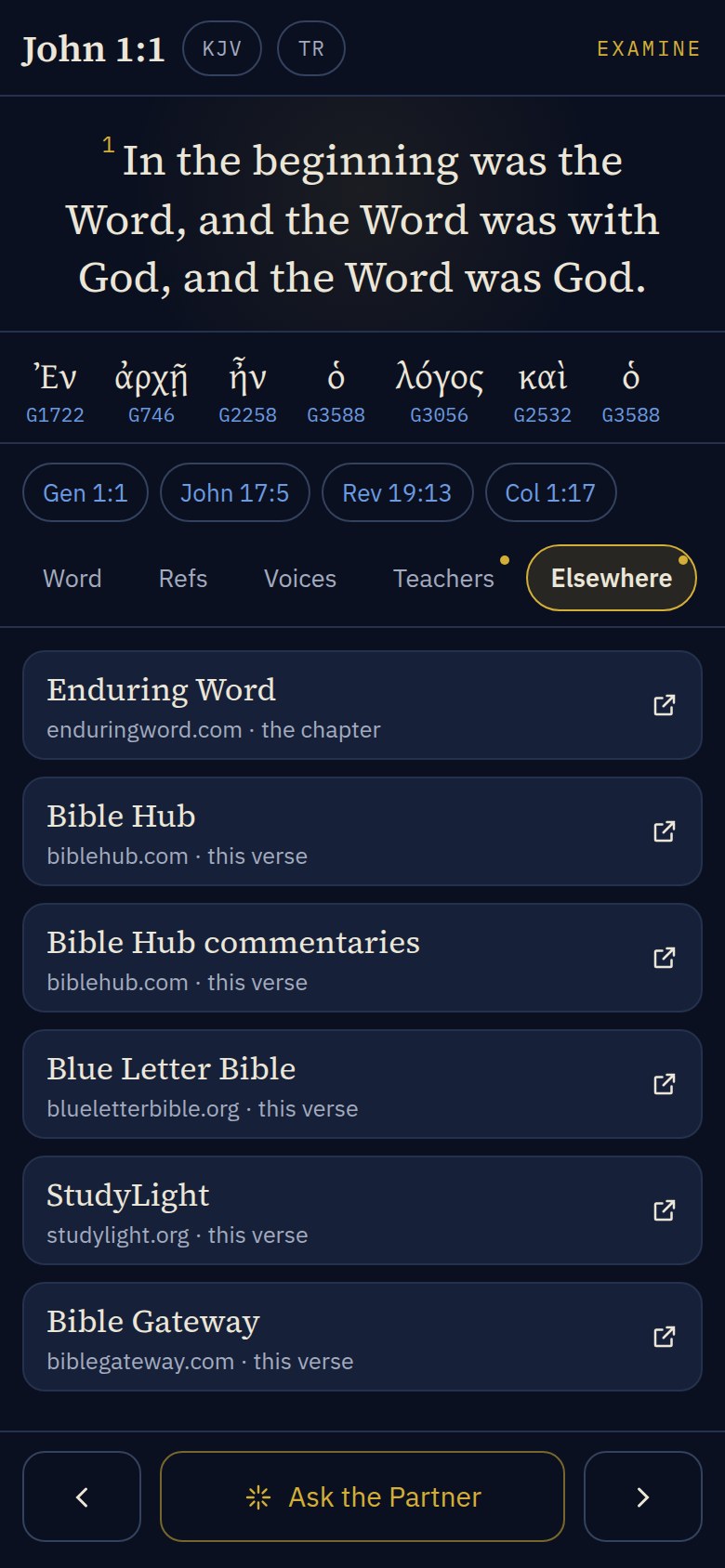 Phone · ElsewhereThe same three groups, sized for a thumb.
Every new piece has a phone shape
The larger screens are designed first, but nothing goes on them that has no place on a phone. Each new piece is one instrument, built once, that renders at a side panel's width and at a phone's.
Look for yourself first
On a phone it is the Note tab, and the first thing the deck shows on a new verse.
The cross-reference row
A chip row under the pinned verse that scrolls sideways; "all" opens the Refs tab.
Teachers and Elsewhere
Two more tabs on the deck's rail. Same content, one help at a time.
The dock
Becomes the thumb bar: previous, Ask the Partner, next. The rest live on the rail, and Whole chapter is the Read tab.
The plan
- Teachers. Ed keeps the approved list. Gabe suggests teachers; Ed decides.
- Elsewhere. Gabe's sites, grouped by what the reader came for: commentary, the original language, other translations. Clean, quiet, one tap to each.
- The bottom bar. The new named bar goes in, and the AI bar along the bottom comes out. Ask the Partner is one button on the bar.
- Build order. Tablet and laptop first, then the phone. Every new piece is designed so it already has a phone shape.
- The name. The view is Examine · Lampstand, with Gabe's mark and art. Not "Lampstand" alone: another Bible app on the app stores already uses that name.
- Plain device names. Tablet, laptop, phone, in the app, the film and the docs. Berean runs in any modern browser on any brand.
The same plan governs the docs: the manual and field guide pages for the new Examine are written tablet and laptop first, then phone, in plain device names.
What I'd like from you
- Does the layout read well to you: the verse first, the cross-reference row, the named bottom bar?
- Which teachers would you suggest for the approved list?
- Are the Elsewhere sites the right ones, in the right groups?
- Are you glad to have Lampstand's name and your art on Examine?
Reply to Ed by text. Nothing here is live yet.